Small Business Website: Do You Need One, What It Costs, How to Build It

A small business website is the one sales channel you own. It tells a buyer what you sell, where, at what price and how to book, and no platform can suspend it. Forbes Advisor puts most do-it-yourself builds under $500 and a developer-built site at about $2,000–$5,000, a range it gives for a simple e-commerce site1. Build it in nine steps, and start with the sites your buyers already compare you with.

The check lists your direct competitors, their share of search visibility and what buyers complain about. Those are the inputs for your site’s first page.
Jump to: Costs · Builders compared · 9 steps
Does your small business need a website?
Yes, if your buyers search or compare before they pay. That covers most shops and service businesses, including anyone who takes bookings. A site does four jobs that a social profile does badly.
It is yours. A platform can suspend or throttle a social account, and a hacker can take it over; then your followers are gone. A domain you pay for, and the pages on it, stay under your control. If a platform locks you out tomorrow, the link in your email signature and on your business cards still works.
It holds the facts in one place. Your services and prices sit on pages a buyer can find again, and the booking button sits next to your hours and service area. Social posts scroll away within days, and a price posted in March is buried by June.
It puts you in the comparison. A buyer hiring a contractor or a photographer opens two or three sites side by side. Without a site you are missing from those tabs, and the buyer books from the sites that load.
It gives you a business email on your domain. An address at your own name reads as a company to a client who has to forward your quote to a manager.
A site can wait in two cases:
- You work only by referral, your calendar is full for months, and no new client finds you by search.
- You have not yet tested whether anyone wants the offer. Then build a one-page site that counts inquiries first (step 9), and expand only after people write to you.
What a small business website costs
You pay for the domain and for the builder or hosting, and design work comes on top. The table puts a checked price on each part where one exists.
| Part | What you pay for | Checked price |
|---|---|---|
| Domain | The name, renewed every year | Varies by registrar and extension; compare the first-year price with the renewal |
| Builder or hosting | A monthly or annual plan | Wix Light $17/mo billed annually2; Squarespace Basic $19/mo billed annually3; Hostinger builder $2.99/mo on a 48-month term4 |
| Design and extras | Your own time, or a developer | DIY under $500 for most small businesses; a developer about $2,000–$5,000 for a simple e-commerce site1 |
The billing term changes the yearly bill more than the choice of builder. Wix Light costs $17 a month billed annually and $24 billed monthly2. That is $204 a year against $288 (example by our method). Squarespace Basic costs $19 against $253, or $228 a year against $300. An annual plan saves you the difference if you know you will keep the site for a year; while you are testing, pay the higher monthly rate.
The Hostinger price has the longest commitment. The $2.99 a month applies to a 48-month term paid upfront as $143.52, and the plan renews at $10.99 a month4.
A price list does not tell you whether a site is worth it. Turn the cost into sales instead. Take what one sale leaves you after direct costs, which is the price times your margin, and divide the site cost by that number. The result is how many sales pay for the site. As an assumption, say one sale leaves you $400 and the site costs $500: the second sale covers it. The worked example below applies this to real inputs; for the terms, see unit economics, explained.
Website builders for small business, compared
Answer five questions before you open a pricing page:
- Do clients book appointments with you? Confirm that booking is included in the plan you pick, and at which tier.
- Do you sell physical products online? A commerce platform fits better than a page builder with a store bolted on.
- Do you sell in person at a counter or market stall? Pick the builder that ties into the payment system you already use.
- Is your work visual, such as photos, design or interiors? Template quality on a big screen and on a phone is the deciding test.
- What is your budget for the first year, and can you commit to a long billing term?
The table compares fit and checked starting prices. It is not a ranking, and the builders were not tested for this article. Where no price was checked, the cell says so.
| Builder | Best for, and the catch | From |
|---|---|---|
| Wix | Service businesses that want many templates. Catch: $24/mo if billed monthly; the free plan shows ads | $17/mo billed annually2 |
| Squarespace | Portfolio-led work: photographers, designers, studios. Catch: $25/mo if billed monthly | $19/mo billed annually3 |
| Shopify | Selling products online. Catch: $39/mo if billed monthly | $29/mo billed yearly5 |
| Square Online | Restaurants and in-person retail. Catch: paid plans are priced per location; Premium is $149/mo | Free plan; Plus $49/mo per location6 |
| Hostinger | The lowest entry price. Catch: 48-month term paid upfront, renews at $10.99/mo | $2.99/mo4 |
| WordPress | Full control and plugins. Catch: you maintain hosting, updates and backups | Not checked; depends on hosting |
| Google Sites | A free information site on your own domain. Catch: basic layouts | Free7 |
Choose Shopify if most of your revenue comes from products you ship. Choose Square Online if you already take payments in person with Square. Choose Wix or Squarespace if you sell a service and need a few pages with prices and a booking form. Choose Hostinger only if you are sure you will keep the site for four years. Choose WordPress if you need features no builder offers and someone will keep it updated.
Free plans: what you give up
Wix’s free plan publishes your site on a subdomain such as username.wixsite.com/sitename and shows Wix ads on it8. A buyer comparing that address with a competitor’s own domain sees the difference before reading a word.
Square Online has a free plan as well6. It suits a seller who already uses Square and wants a basic online storefront at no monthly cost.
Google Sites is the free route that takes your own domain. The builder costs nothing, and you can connect a domain you already own or buy one through a registrar7. You pay only for the domain. The trade-off is design: layouts are plain, which works for a contractor’s information page and less well for a portfolio.
How to build a small business website in 9 steps
Steps 1 and 2 come before any builder, because they decide what the site says.
1. Name the buyer and the one action
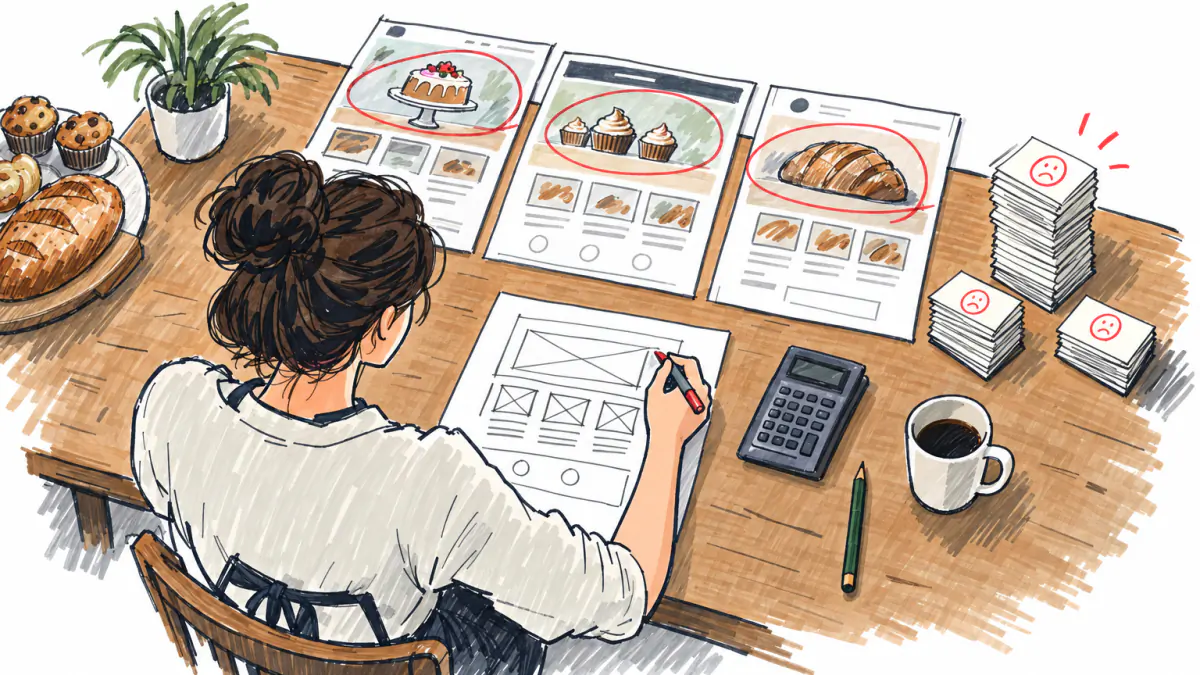
Write one sentence that names the buyer and their problem. Then add the action you want them to take on the site. “Homeowners in our county book a free estimate for roof repair” is a usable sentence. Every page you add later either moves that buyer toward the action or gets cut.
2. Open the sites you compete with
Search for your service and your town the way a buyer would. Skip directories and open the first three business sites. For each one, write down the promise on its first screen, whether it shows prices, and how you book. Your first screen should state what theirs leave out: a price, an area, a turnaround time, a guarantee. A guide to find the sites you compete with walks through the search.
3. Plan the pages
Each page answers one buyer question. A service business needs these at minimum:
- Home: what you do, for whom, where, a “from” price and one button.
- Services and prices: each service, what it includes, the price or a starting price.
- Work or portfolio: proof that you have done this before.
- Reviews: real ones, from real clients.
- About: who you are and why a buyer can trust you with the job.
- Contact and booking: phone, email, hours, the area you serve and the form.
Put the complaint buyers in your field raise most often on the homepage or pricing page, where they see it before deciding. If buyers in your trade complain about hidden costs, the price goes on the homepage. If they complain about no-shows, your arrival guarantee goes there.
4. Pick a platform
The first fork is a builder against a site you or a developer maintain.
| Option | Who maintains it | Cost type | Choose it when |
|---|---|---|---|
| Builder | The vendor | Monthly or annual plan | You want to launch yourself and edit prices without help |
| WordPress with hosting | You | Hosting plus plugins and your time | You need custom features and will run updates |
| Developer build | The developer, then you | One project, about $2,000–$5,000 for a simple e-commerce site1 | You have the budget and needs no template covers |
Most small service businesses start on a builder. The builder table narrows the choice.
5. Register the domain
Shortlist several names before you buy. Check the .com first, because buyers type it out of habit. Say each name aloud to someone and ask them to spell it back; a name that needs explaining loses phone referrals. Avoid hyphens and numbers.
You can buy the domain from a registrar or as part of a builder plan. Compare the first-year price with the renewal price, since bundles often discount only the first year. Register the domain in your own name and account, even if a developer builds the site, so you keep it if you change vendors. You can check a name and its domain before you commit.
6. Write the offer and prices
The first screen carries five things: what you do, for whom, where, a starting price and one button. “Half-day branding shoots for coaches in north Austin, from $1,000. Book a call.” does all five in two sentences. Show prices, or at least a starting price, on the services page. A buyer who has to call to learn the price often opens the next tab instead. The guide to write an offer covers the wording.
7. Make it work on phones, in search and for every visitor
Phones: check every page on your own phone before anyone else sees it. Tap every button and fill in every form, and check that prices read without zooming.
Search: give each page its own title and a description that names the service and the town. “Roof repair in Round Rock, TX | Smith Roofing” tells both the buyer and the search engine what the page is. For the map pack and reviews, local search is a separate job from the site.
Accessibility: the federal rule with dates attached covers state and local governments. The DOJ’s April 2024 Title II rule requires WCAG 2.1 AA. An interim final rule effective April 20, 2026 moved the deadlines to April 26, 2027 for entities serving 50,000 people or more, and April 26, 2028 for smaller ones and special district governments9. For a private business, plan to meet the same WCAG 2.1 AA standard. That is an assumption for planning, not a statement of what the law requires of you. In practice it means alt text on images, readable contrast, labeled form fields and a site you can use with a keyboard alone.
Privacy: if a form collects personal contact details, post a privacy policy that says what you collect and how you use it.
Reviews: the FTC’s rule on consumer reviews and testimonials took effect October 21, 2024; it authorizes civil penalties for knowing violations10. Publish only real reviews from real clients. Do not write or buy them, and do not edit them into something the client did not say.
8. Test before launch
Run this list on a phone and on a laptop:
- Every form sends to an inbox you check, and you receive the test message.
- The phone number is a link that dials when tapped.
- Every page loads and reads on a phone without sideways scrolling.
- Prices on the site match the prices you quote by phone.
- Booking works from start to confirmation, including the confirmation email.
- A mistyped address shows a page with a link home, not a blank error.
- Every image has alt text that describes it.
- Your business contact block (name, address, phone) reads the same on every page.
9. Launch small, measure inquiries, then expand
If you have not yet tested demand, launch the smallest site that can count inquiries: one page, one offer, one form. Decide in advance how long you will run it and what number of inquiries would justify building more. A guide on a one-page site to test demand covers the layout, and you can test demand with paid traffic before writing more pages. Wait until buyers have written to you before you add the services and portfolio pages or a blog.
Plan the site from your market
For any business idea, our idea check lists the direct competitors with their share of search visibility, counts the complaint themes, builds a unit model and rates the risks by probability and impact. It also reports where its demand data came from. The mapping below, from each output to a part of the site, was written for this article; the formulas are the check’s own.
| Check output | What the site does with it | The rule |
|---|---|---|
| Direct competitors and visibility share | Decides whom the homepage must beat | Open the three most visible competitor sites, note each first-screen promise and whether prices show; your first screen states what they leave out |
| Complaint themes with counts | Decides page order | The theme with the most complaints is answered on the homepage or the pricing page |
| Unit model | Sets the site budget and its job | See the formulas below |
| Risks, probability × impact | Decides what the site must prove | Each risk with impact 3 becomes a block of proof (a stated difference, a visible price, a review) or a step that tests it |
| Demand source | Decides the size of the first build | With no measured demand, launch one page with one offer and count inquiries |
The unit-model formulas:
- Contribution per sale = price × margin.
- Site payback in sales = site cost ÷ contribution per sale.
- LTV = price × purchases per month × lifetime in months × margin.
- LTV/CAC = LTV ÷ CAC.
- Payback in months = CAC ÷ (price × purchases per month × margin).
The method sets no thresholds and the check prints no benchmark for a “good” LTV/CAC, so this page gives none. Track your own ratio over time, and compare the payback with how long you can fund marketing before revenue arrives.
For the competitor step, the guide on how to find competitors and read their sites has the search patterns. For the complaint step, find customer pains in reviews shows how to group complaints into themes and count them.
Worked example: a home-based brand photographer in Austin
The check was run on October 15, 2026, on this idea, quoted as entered: “Brand photography business run from home in suburban Austin: women-owned small businesses and coaches buying half-day personal branding shoots for websites and social media” (example by our method)ex. Her clients order shoots for their own websites, so the site she plans also serves as a sample of her work. It is one of many home-based business ideas where the website is the shop window.
In the example, the check ran 17 search queriesex and read 25 sourcesex. Its verdict was “Possible, with caveats”ex with a score of 58ex (example by our method). Both are quoted as the check’s output; the article does not read the score as a grade.

The competitors decide the first screen
In our example, the check found 8 direct competitorsex. Here are the five most visible:
| Competitor | Type | Visibility share |
|---|---|---|
| ambervickery.com | Direct | 18%ex |
| Alicia Leigh Photography | Direct | 17%ex |
| Tai Lee Photography | Indirect | 15%ex |
| Melissa Bordeau Photography | Direct | 11%ex |
| Julie Wilhite Photography | Direct | 9%ex |
All figures in the table are examples by our method. Following the rule, she opens the sites of the three most visible direct competitors (ambervickery.com, Alicia Leigh Photography, Melissa Bordeau Photography) and notes the promise on each first screen and whether it shows a price. Her own first screen has to state the difference those three leave out.
The complaints decide the page order
In the example, price is the top complaint theme with 3 mentionsex, and “Availability, minimum order” has 1ex. The check also flags a risk: “Customers already complain about price, so a price-led offer may attract buyers who leave after one shoot” (example by our method)ex.
So the homepage shows a “from” price next to a package, with no discount. The package answers the complaint by showing what the money buys, and a visible price filters out buyers who would leave after one shoot. Availability goes on the booking page as the next open dates.
The unit model sets the budget and the site’s job
All inputs below are example by our method and come from the check’s model, not from market data.
| Input or result | Value |
|---|---|
| Price per shoot | $1,000ex |
| Purchases per month | 1ex |
| Lifetime, months | 10ex |
| Margin | 40%ex |
| CAC | $900ex |
| LTV | $4,000ex |
| LTV to CAC | 4.44ex |
| Payback, months | 2.3ex |
In our example, contribution per shoot is $1,000 × 0.4 = $400. LTV is 1,000 × 1 × 10 × 0.4 = $4,000 (example by our method). Payback is 900 ÷ 400 = 2.25 months, shown as 2.3 (example by our method). LTV to CAC is 4,000 ÷ 900 = 4.44 (example by our method).
One shoot covers 400 ÷ 900, about 44%, of what it costs to win the client (example by our method). The model only works because it assumes each client books once a month for ten months. A half-day branding shoot is not a monthly purchase by nature, so the site has to create the repeat: a package of refresh sessions, or a monthly content retainer, sold on the services page. If the site sells single shoots only, each client brings $400 against $900 spent to win her (example by our method).
Site payback in shoots, example by our method: a DIY build under $5001 takes 500 ÷ 400 = 1.25 shoots, so the second shoot covers it. A designer build at $2,000–$5,0001 takes 5 to 12.5 shoots. With demand unmeasured, she starts on a builder. You can run your own numbers in the unit economics calculator.
The risks and the missing demand data decide the first build
The check rates this risk at probability 3 and impact 3: “The closest competitor already offers about 80% of the same service, so the idea may not stand out” (example by our method)ex. The homepage answers it with a stated difference in the headline: shoots at the client’s home or workplace, built for women-owned businesses and coaches, with images delivered sized for a website and social posts.
A second risk carries impact 3: “A local Austin studio closed after 9 years, which suggests the cost of running a studio may outweigh the revenue it brings in” (example by our method)ex. The site sells on-location shoots, so no studio rent sits inside the price.
The third high-impact risk: “No search-volume data exists for this market, so demand for the exact service in suburban Austin is unverified” (example by our method)ex. The check’s demand source is noneex. Its market-size figure, $9.1 billion for 2024 from marketresearch.comex, covers the whole market and says nothing about how many coaches in suburban Austin look for a branding shoot (example by our method).
So her first build is one page: the headline with the difference, a “from” price and one package, a short portfolio, real client reviews, the area served and a booking form. She counts inquiries for a period set in advance before adding pages. If inquiries stay at zero, she will test demand with a small ad budget before spending on design.
Beyond the site: profile, social and email
The site is the hub, and every other profile points to it. Write your business name and contact details identically everywhere, so buyers and search engines tie your profiles to one business. Set up email on your domain and use it on invoices and quotes. Put the booking page link, not the homepage, in every social bio, because a visitor from Instagram already knows what you do and wants a date. Your business profile on maps and the reviews there are part of local search, a separate job from building the site.
FAQ
Does my small business need a website if I’m on social media?
Yes, if buyers find you through search or compare options before they book. A platform can suspend a social account or cut its reach; your domain and pages stay yours. Social brings reach; the site is where buyers see your prices and proof, and book.
How much does a small business website cost?
Can I make a business website for free?
What is the best website builder for a small business?
It depends on what you sell. Shopify fits shipped products, and Square Online fits restaurants and in-person retail. A service business that needs booking on a few pages fits Wix or Squarespace. Use the five-question picker and the table above to narrow it to one.
What pages does a small business website need?
Home, services with prices, work or portfolio, reviews, about, and contact with booking. Each page answers one buyer question. The top complaint in your trade belongs on the homepage or the pricing page.
Does my website have to be ADA compliant?
The dated federal rule is the 2024 Title II rule for state and local governments: WCAG 2.1 AA, due April 26, 2027 for entities of 50,000 people or more and April 26, 2028 for smaller ones9. For a private business, plan to meet WCAG 2.1 AA; treat that as a planning assumption and ask a lawyer about your own exposure.
Should I hire a developer or use a builder?
Use a builder if you want to launch yourself and edit prices without help. Hire a developer if you need features no template offers and have the budget; Forbes Advisor puts a simple e-commerce build at about $2,000–$5,0001. With demand untested, start on a builder.
Sources
- forbes.com, 09/30/2026
- wix.com, 07/29/2026
- squarespace.com, 10/12/2026
- hostinger.com, 10/12/2026
- shopify.com, 10/14/2026
- shopify.com, 07/05/2026
- sites.google.com, 10/02/2026
- wix.com, 09/07/2026
- govinfo.gov, 04/20/2026
- ftc.gov, 11/08/2024
Check your idea for free
Describe your idea and the check collects demand, competitors, complaints and prices, with sources.