Google Ads for Small Business: What a Customer Can Cost, a First Campaign and a Worked Example

Google Ads works for a small business when a new customer brings in more contribution than the ads cost to win them. Before you open an account, work out the most you can pay for a customer and turn it into a maximum cost per click. Then start with one Search campaign: a few buying keywords, only the area you serve, and conversion tracking on before the first click.
Key takeaways
- On Google Ads Search you pay per click. On Local Services Ads you pay per lead.1
- Your ceiling per click is what a customer can cost multiplied by the share of clicks that become customers.
- Before launch, check the networks, the location option and the ad schedule.
- If lifetime value barely covers the cost to acquire a customer, fix the offer before you raise the budget.
How Google Ads works and when it pays off for a small business
A Search ad appears when someone in the area you target types a query that matches one of your keywords, and you pay when they click. Local Services Ads, Google’s separate format for service businesses, charge per lead, such as a call or a message.1
Every search runs an auction. Your position and actual cost per click depend on Ad Rank, which combines your bid, your ad quality, Google’s thresholds, the competition for that search and the searcher’s context.2 Higher ad quality generally leads to better positions and lower cost,2 so the highest bid does not win by default.
Google reports ad quality for each keyword as Quality Score, a 1–10 diagnostic built from three parts:3
- expected clickthrough rate: how likely people are to click your ad;
- ad relevance: how closely the ad matches the search;
- landing page experience: whether the page delivers what the ad promised.
Narrow ad groups improve all three: the keyword, the ad and the page talk about one service.
Search captures demand that already exists; it cannot create it. If nobody searches for what you sell, the budget buys nothing.
Google sets no minimum budget.4 The daily budget is an average: on a given day a campaign can spend up to twice it, and in a month most campaigns are charged no more than 30.4 times it.4 A $20 daily budget, for illustration, can spend up to $40 on a busy day and at most $608 in a month.
For a sense of prices, the 2025 LocaliQ/WordStream benchmark put the average search cost per click at $5.26, across 16,446 campaigns in 23 industries from April 2024 to March 2025.5 The prices that count are the ones your own account shows in the first weeks.
Google’s figure of $8 for every $1 spent on ads comes from a 2011 economic impact report: the $8 is profit, not revenue, it counts organic clicks too, and it assumes $2 of revenue per $1 of ad spend and 5 organic clicks for each ad click, with no breakdown by business size.6 It cannot replace your own forecast.
Before you spend: the most you can pay for a click
Our method runs on five of your own numbers: the price of one purchase, purchases a month per customer, your margin, how many months a customer stays, and what you pay today to win a customer from any channel. The calculator runs these steps:
| step | what you calculate | formula |
|---|---|---|
| 1 | monthly contribution per customer | price × purchases a month × margin |
| 2 | lifetime value (LTV) | monthly contribution × customer life in months |
| 3 | LTV to CAC | LTV ÷ cost to acquire a customer (CAC) |
| 4 | payback in months | CAC ÷ monthly contribution |
| 5 | ceiling per customer | break-even = LTV; planning ceiling = LTV ÷ 3 |
| 6 | maximum cost per click | ceiling per customer × click-to-lead rate × lead-to-customer rate |
| 7 | test budget | customers wanted ÷ (click-to-lead × lead-to-customer) × cost per click |
| 8 | daily budget | clicks a day × average cost per click |
Step 1 multiplies by margin because you pay for ads out of what is left after direct costs like goods, fuel and labor: in our example, $130 a month of revenue at a 12 % margin leaves $15.60 a month.
Step 5 gives two ceilings. Break-even is the LTV itself: pay that much for a customer and you earn nothing over their life. The divisor of 3 is our planning assumption, not a market norm. It leaves room for early churn, overhead your margin does not cover and the cost of the test; if your margin already includes overhead, a smaller divisor works.
Step 6 needs two rates you do not have yet: the share of clicks that become a lead (a call or a form) and the share of leads that become a customer. Write both down as assumptions and replace them with real rates after the first month. If you take calls today, your sales log already gives you the second.
The rules we apply to every result:
- Run the numbers before the account exists.
- If the click ceiling is under what your keywords cost, fix the offer (price, plan length, add-ons) before you buy clicks.
- Set the stop line before launch: the spend after which zero customers means stop and rethink.
Run your own numbers in the unit economics calculator; the full method, with definitions, is in unit economics in plain words.

Example: a bottled-water delivery route in Tampa
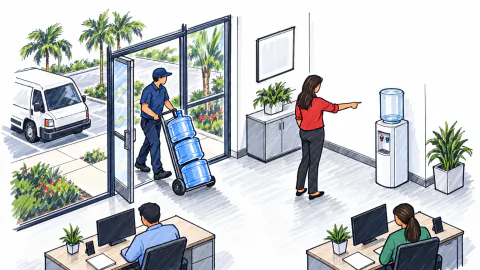
The worked example is a real check of this idea: “5-gallon bottled water and cooler delivery route for small offices, clinics and shops in Tampa, Florida: managers on biweekly delivery plans with monthly cooler rental”ex (example by our method): a fixed service area and an office manager who searches with buying intent, the typical first-campaign case.
The verdict was “Possible, with caveats”ex, with a score of 51.ex The check ran 17 search queriesex and drew on 25 sourcesex (example by our method).

What the market looks like
The check found no measured source of search demandex for this route, so this article quotes no search volume; get volumes for your keywords from Google’s keyword planning tool in your account. The market size, $14.4 billion for 2024 from IBISWorldex (example by our method), describes the whole market, not how many Tampa offices search for delivery each month.
Who you would bid against
The check counted 8 direct competitorsex. The five most visible, with their share of visibility (example by our method):
| competitor | visibility share |
|---|---|
| Crystal Springs | 17 %ex |
| Zephyrhills | 15 %ex |
| Primo Brands | 13 %ex |
| Water Boy Inc. | 13 %ex |
| Culligan of Tampa | 7 %ex |
On a generic phrase such as “water delivery Tampa” you bid against all five, and a company with longer customer lives or wider margins can outbid your ceiling and still profit. For your own niche, find who you would bid against.
The unit numbers and the click ceiling
The check’s inputs and results (example by our method):
| figure | value |
|---|---|
| price per delivery | $65ex |
| deliveries a month | 2ex |
| margin | 12 %ex |
| customer life | 10 monthsex |
| cost to acquire a customer (CAC) | $150ex |
| lifetime value (LTV) | $156ex |
| LTV to CAC | 1.04ex |
| payback | 9.6 monthsex |
Monthly contribution is $65 × 2 × 0.12 = $15.60 (example by our methodexexex). Over 10 months that makes $156, the check’s LTVex. Payback is $150 ÷ $15.60 = 9.6 monthsex. The planning ceiling is $156 ÷ 3 = $52 per customer.
Now assume 5 % of clicks become a lead and 25 % of leads become an account. Then 1.25 % of clicks become customers, or one account per 80 clicks (all three ceilings below are examples by our method):
| ceiling per customer | arithmetic | maximum cost per click |
|---|---|---|
| the check’s CAC, $150ex | 150 × 0.0125 | $1.88 |
| break-even, $156ex | 156 × 0.0125 | $1.95 |
| planning ceiling, $52 | 52 × 0.0125 | $0.65 |
The planning ceiling, $0.65, is the cap our rules allow; $1.88, the check’s current CAC as a click, sits above it. So by rule 2 the example fixes the offer before it buys clicks at $1.88, and a test at that price is the most it would lose: four accounts at 1.25 % need 320 clicks, or $601.60, about $600 (example by our methodex), a daily budget of about $20, or 10 to 11 clicks a day. The same $600 is the stop line.
At the cross-industry average of $5.26 a click,5 the same 80 clicks would cost $420.80 per account (example by our method, with the two assumptions), about 2.7 times the $156 LTV.ex
At these numbers any click over about $2 loses money over a customer’s life, and a bigger budget only buys more of that loss. Two levers move the ceiling up instead:
- A longer plan: each extra month a customer stays adds $15.60 of contribution.
- The cooler rental billed monthly: the check gives no rental price, so enter yours and its margin in the unit economics calculator, which opens with this example as its preset.
What the complaints give the ad
Complaints about reliability and trust came up 4 timesex, convenience onceex and quality onceex. So the ad should promise a fixed delivery day and back it with a named remedy for a missed one. Three headlines within the 30-character limit:
- “Office Water Delivery in Tampa”
- “Your Water Day, Every 2 Weeks”
- “5-Gallon Jugs + Cooler Rental”
For your own niche, find customer complaints in reviews.
The risks the check flagged
The check listed four risks (example by our method):
- “Crystal Springs already covers most of the offer, so local offices may stay with it instead of switching.”ex For ads: generic terms near the big brands cost the most and convert the least.
- “At a 12% margin and a 10-month payback, a delivery route may run out of cash before it grows.”ex
- “Food safety rules apply to bottled water handling and delivery, and a lapse would hit trust.”ex
- “Reliability and trust complaints are the most common complaint type, so late or missed deliveries could cost accounts.”ex If your ad promises a fixed day, your routes have to keep it.
How to set up your first Google Ads campaign in 10 steps
Menu paths are written in words, because the interface changes more often than the settings.
1. Write down your ceiling, test budget and stop line
Keep your maximum cost per click, your test budget and the spend after which zero customers means stop next to the account. In our example, by our method, the ceiling is the $0.65 planning ceiling and about $600 is both the most a test at the check’s $1.88 would cost and the stop line.
2. Set up conversion tracking before you pay
Decide what counts as a lead (a call from the ad, a call to your site’s number, a submitted form) and add each under Goals, then Conversions. Place a test call and send a test form, and confirm both register. Without tracking you see clicks and no customers, and Target CPA and Maximize conversions bidding require it.7
3. Create a Search campaign
Choose New campaign, then Search, with leads as the goal. Leave Performance Max for later: it does not let you pick the keywords.
4. Choose the networks
In Networks, keep Google Search and uncheck Search partners and the Display Network, so the test runs only where the person has typed what they want.
5. Target the area you serve
Enter the area you deliver to as cities, zip codes or a radius. Under Location options, choose Presence: the default, Presence or interest, also reaches people elsewhere who showed interest in your area.8
6. Set the ad schedule
Limit the ads to the hours someone answers the phone. A 9 p.m. click that ends in voicemail costs the same as one that ends in a signed plan.
7. Set the budget and bidding
Set the daily budget to the test budget ÷ 30.4 (about $20 in our example, by our method). Start with a click-based strategy and cap the cost per click at your ceiling. Move to Target CPA once the account records its own conversions; on Search it still bills per click, and only eligible Display campaigns can opt to pay per conversion.7
8. Build one ad group per service
Give each ad group a handful of buying phrases about one service; the next section shows a structure for the example.
9. Write the ad and point it at a matching page
A responsive search ad takes up to 15 headlines of up to 30 characters and up to 4 descriptions of up to 90 characters.9 Repeat the keyword and the area in the headlines, and state your promise.
For phone leads, add a call asset: new call-only ads can no longer be created as of February 2026, and existing ones stop receiving impressions in February 2027.10
Send each ad group to a page about that service, with the phone number at the top. See a landing page that turns clicks into leads.
10. Add negatives and launch
Paste in the starter negatives list from the next section, re-read the settings against step 1 and launch.
Keywords: buying phrases, match types and the negatives list
A buying phrase names the service plus a place or a word for getting it, such as delivery, rental, service or near me. A research phrase asks how, what, why or whether; those searchers rarely call a supplier today, so research phrases stay out of the first campaign.
| buying phrase | research phrase |
|---|---|
| office water delivery Tampa | how much water does an office need |
| water cooler rental Tampa | how do water coolers work |
| 5 gallon water delivery service | is bottled water safer than tap |
An ad group structure for the example (our keywords, no volumes):
| ad group | keywords |
|---|---|
| Office delivery | office water delivery Tampa; water delivery for business Tampa; bottled water service for offices |
| Cooler rental | water cooler rental Tampa; office water cooler rental; rent water dispenser for office |
| 5-gallon jugs | 5 gallon water delivery Tampa; 5 gallon jug delivery service |
| Clinics and shops | water delivery for medical office; bottled water delivery small business |
Start with exact and phrase match. Exact match covers searches that mean the same as the keyword; phrase match also covers that meaning plus other words. Save broad match, which reaches loosely related searches, until the account has conversion data to judge them. For the promise itself, see write the offer your ad promises.
Start a negatives list on day one
Negative keywords block searches you never want to pay for. A starter list for the example:
- jobs, hiring, driver, careers, salary
- free, DIY, how to
- filter, filtration, softener, purifier (if you do not sell them)
- case of water, bottle price, grocery and big-box store names
- refill station, used cooler for sale, repair
- home, residential (if you serve only businesses)
Five settings to check before launch
| setting | why it costs you | switch to |
|---|---|---|
| Networks | Partner sites and display placements bring clicks from people who are not searching for you | Google Search only for the test |
| Location option | Presence or interest also reaches people outside your area who showed interest in it8 | Presence |
| Ad schedule | Clicks at hours nobody answers end as missed calls you paid for | Your answering hours |
| Bidding | Conversion-based strategies need tracking and data7 | A click-based strategy with a cap at your ceiling |
| Daily budget | A single day can spend up to twice the average4 | Test budget ÷ 30.4 |
Set these before the first click and change them only after a few weeks of the account’s own data.
Search, Local Services Ads or Meta: which to start with
| Google Ads Search | Local Services Ads | |
|---|---|---|
| you pay for | a click1 | a lead, such as a call or a message1 |
| badge on the listing | none | a single badge; Google Guaranteed is no longer shown since October 20, 202511 |
| small-budget verdict | start here if your category is not listed or you want to choose keywords | start here if your category is listed and you would rather pay per lead |
Before you plan around Local Services Ads, check that Google lists your category; a water delivery route with no matching category goes to Search.
When to combine Google Ads and Local Services Ads
Run both once one channel’s cost per customer is known and sits under your ceiling. With two unmeasured channels you cannot tell which one brought the account.
Google Ads or Meta for a local service
Choose Search when people already type what you sell into Google; choose targeted ads on social networks when buyers do not search yet and you reach them by area and profile. In the example office managers already search for delivery, so Search comes first, with a ceiling low enough to skip the brand-heavy generic terms.
The first four weeks: what to check and when
Do not move the stop line during the test (in our example, by our method, about $600 of spend with zero new accounts). For a read on demand before a month of spend, run a one-week demand test first.
Week 1. Confirm every call and form shows up as a conversion. Read the search terms report every day or two and add irrelevant terms as negatives.
Week 2. Compare each keyword’s average cost per click with your ceiling. A keyword above the ceiling with no leads gets a lower bid or a pause.
Week 3. Check the headlines and the landing page against their leads; replace headlines that draw clicks without calls.
Week 4. Count accounts against the stop line. If you have accounts at a cost per customer under the ceiling, continue at the same budget for another month. If you hit the stop line with zero accounts, stop and fix the offer or the page before you spend more.
The weekly search-terms routine
After the first month, go through every search term once a week, about 30 minutes for a single campaign (an assumption; it depends on traffic):
- A buying term that brought a lead: add it as an exact match keyword.
- A term unrelated to what you sell: add it as a negative.
- A relevant term whose clicks cost more than your ceiling: lower the bid cap.
Six mistakes and the fix for each
- Launching without conversion tracking. Fix: set it up and test it before you pay (step 2).
- Taking the budget from a flat range found online. Fix: derive it from your own numbers.
- Mixing research phrases into buying ad groups. Fix: keep research phrases out.
- Leaving the location option on Presence or interest. Fix: switch to Presence.
- Paying for clicks at hours nobody answers. Fix: schedule ads for your answering hours.
- Raising the budget when lifetime value barely covers acquisition cost. Fix: change the plan length or add-ons first.
What to do next
- Turn your price, purchases a month, margin, customer life and current cost per customer into a click ceiling.
- If the ceiling sits under what your keywords cost, fix the weakest lever first: plan length, price or an add-on.
- Launch one Search campaign with tracking, Presence targeting, your answering hours and a stop line written down.
If clicks cost more than your numbers allow, look at other ways to find your first customers.
FAQ
How much should a small business spend on Google Ads a month?
Google sets no minimum.4 Derive a test budget from the clicks you need to win a few customers at your cost per click and divide it by 30.4 for the daily budget: about $600 a month in the example (example by our method).
Is Google Ads worth it for a small business?
It is worth it when a customer won through ads brings more contribution over their life than the ads cost. In the example, LTV to CAC was 1.04ex, which leaves no room for paid clicks until the offer changes.
Can I run Google Ads myself?
Yes, with one Search campaign, the 10 steps above and the weekly search-terms review, about 30 minutes for one campaign (an assumption).
Sources
- business.google.com, 08/15/2025
- support.google.com, 10/08/2026
- support.google.com, 10/03/2026
- support.google.com, 10/06/2026
- searchengineland.com, 05/20/2025
- static.googleusercontent.com, 08/08/2026
- support.google.com, 10/15/2026
- developers.google.com, 10/14/2026
- support.google.com, 10/03/2026
- support.google.com, 10/07/2026
- bluegridmedia.com, 04/12/2026
Check your idea for free
Describe your idea and the check collects demand, competitors, complaints and prices, with sources.