How to Design a Logo: 7 Steps From Brief to Vector Files

To design a logo, write a one-page brief first: who you serve, who you compete with and what makes you different. Pick the logo type that fits where people will see it, sketch small ideas on paper and build the best one in black and white as a vector. Add one to three colors and one or two typefaces. Test the mark at 16 px and in one color beside your rivals. Export print files as SVG/PDF and web files as a transparent PNG.
The free check gives you the brief’s facts about your audience and closest competitors, including customers’ complaints.
How to design a logo in 7 steps
Each step ends with a file or a decision you can check; the logo is one task in starting a business.
- Write a one-page brief: five answers about your business and its market.
- Pick the logo type by where the logo will appear.
- Sketch thumbnails on paper and keep the three strongest.
- Build the best one in black and white as a vector.
- Pick one to three colors with HEX and CMYK codes, then one or two typefaces.
- Test the mark in five ways; add a reduced icon if it fails small.
- Export the file set: vector masters, web PNGs, a one-color version, a square icon.

Six rules a working logo follows
These are our rules; the steps apply them, and each ends with a quick test.
- Simple. At most three colors and two typefaces. Test: flash the mark at someone, then ask them to sketch it from memory.
- Works in one color. Apple’s logo kept its bitten-apple silhouette when the company dropped the rainbow fill for single-color versions, officially on August 27, 19991. Test: pure black on white, then white on black.
- Scales down. Browsers show a favicon at 16 × 16 pixels, or 32 × 32 on high-density screens2. Test: the shape still reads at 16 px.
- Fits the business. Turner Duckworth took the brief for Amazon’s logo from Jeff Bezos in 1998 and launched it in 2000; its arrow runs from the A to the Z3. Test: a stranger can guess your trade or your promise from the mark.
- Differs from rivals. Test: in a row with your closest rivals’ logos, nobody mistakes yours for theirs.
- Lasts. Anton Stankowski’s slash inside a square won Deutsche Bank’s 1972 design competition, and the bank introduced it in 19744. Test: strip every gradient and shadow; the mark must still stand.
Step 1. Write a one-page brief
Check every design decision against this page.
| Brief point | Where the answer comes from |
|---|---|
| What you sell, to whom | Your idea and who your customers are |
| Who you stand against | List your closest competitors |
| What customers complain about | What customers complain about |
| What could send customers elsewhere | The risks of your idea |
| Your one promise | Your answer, checked against your value proposition |
Add a line listing every place the logo will appear, from sign to invoice; steps 2 and 6 use it.
The lettering depends on the name, so pick the name first. A short name can carry a wordmark; a long one pushes you toward a symbol or initials.
The free idea check fills the first four rows from one sentence: your competitors with each one’s share of search visibility, the complaint themes with counts, and the risks.
Step 2. Pick the logo type
| Type | What it is | Fits when | Watch out |
|---|---|---|---|
| Wordmark | The name in a distinct typeface | The name is short | Long names fail at icon size |
| Lettermark | Initials only | The name is long | Initials mean nothing at first |
| Symbol | A picture or shape, no text | You need an app icon | Nobody knows a new mark yet |
| Combination mark | Symbol and name, usable apart | Signs plus small icons | Both parts must work alone |
| Emblem | Text inside a badge | Labels, stamps, uniforms | Detail blurs when small |
Choose a combination mark if the logo goes on a sign or a menu and also works as a small icon online. Choose a wordmark if the name is short and most placements are wide.
Step 3. Sketch small and fast on paper
Pencil sketches take less time than Illustrator drafts and keep the first idea rough. Draw thumbnails about the size of a postage stamp, one idea per box. A small box hides detail, so it tests the idea the way a favicon will.
- Fill a whole page before you judge any sketch.
- Leave out color and lettering detail; a line can stand for the name.
- Change one thing at a time: shape, letter treatment, angle.
Pin up the page and keep the three still readable from a step back.
Step 4. Build the best idea in black and white, as a vector
Redraw the strongest sketch in a vector editor; free and paid ones export SVG and PDF. A vector file stays sharp at any size; PNG and JPG are raster formats made of pixels5.
Work in black only, because color hides a weak shape.
- Build from geometric shapes and straight strokes on a grid.
- Keep strokes thick enough for the 16 px test in step 6.
- Make the reversed white-on-black version and fix what breaks.
Step 5. Add color and type
Our rule is one to three colors and one or two typefaces. Each extra color is one more value to match on screens, menus, vinyl and thread.
- Pick the main color from the brief’s promise, then compare it with your rivals’. If your closest competitor is red, red makes you look like them.
- Write each color as HEX for screens and CMYK or Pantone for print.
- Set the name in one typeface; add a second only for a tagline.
- Skip hairline weights, and confirm the font license allows logo use.
Step 6. Test it where it will live
Run five tests before you pay for printing or signage.
| Test | How | Passes if |
|---|---|---|
| One color | Black on white, white on black | Nothing is lost |
| Small size | 16, 32 and 48 px | The shape is recognisable |
| Blur | Squint or blur it | The silhouette stays distinct |
| Placements | Mockups of each place in the brief | It reads at real size |
| Line-up | In a row with rivals’ logos | Nobody confuses them |
Browsers show the favicon at 16 × 16 pixels, and at 32 × 32 on high-density screens2. Google Search requires a square favicon of at least 8 × 8 pixels and recommends one larger than 48 × 486. If the full mark fails at 16 px, make a reduced icon: the symbol alone, with heavier strokes, for small sizes only.
For the line-up, list your closest competitors first.
Step 7. Export the file set
Export every version from the vector master into one folder, with the brief’s HEX and CMYK values.
| File | Use | Setting |
|---|---|---|
| SVG | Website, master | Vector |
| PDF or EPS | Printers, signs, embroidery | Vector |
| PNG, transparent | Social media, documents | Largest size needed |
| PNG for print | Vendors without vector support | 300 dpi at final size7 |
| One-color version | Stamps, engraving | Vector, black |
| Square icon | Favicon, avatar | 1:1, from 16 px |
Skip JPG. Of the two common raster formats only PNG supports a transparent background, so a JPG logo sits in a white box on colored surfaces5.
Designer, AI logo maker or do it yourself
| Option | Fits when | Check first |
|---|---|---|
| Do it yourself | You have the brief and an editor | All five tests pass |
| Template or AI maker | You need a placeholder | Export size, vector file, ownership, reuse |
| Designer or studio | Signs, vehicles, packaging from day one | Copyright transfer, full file set |
The free download of the Adobe Express logo maker is a 500 × 500 pixel square8. At 300 dpi7 that prints about 1.7 inches wide (our arithmetic: 500 ÷ 300), too small for a sign.
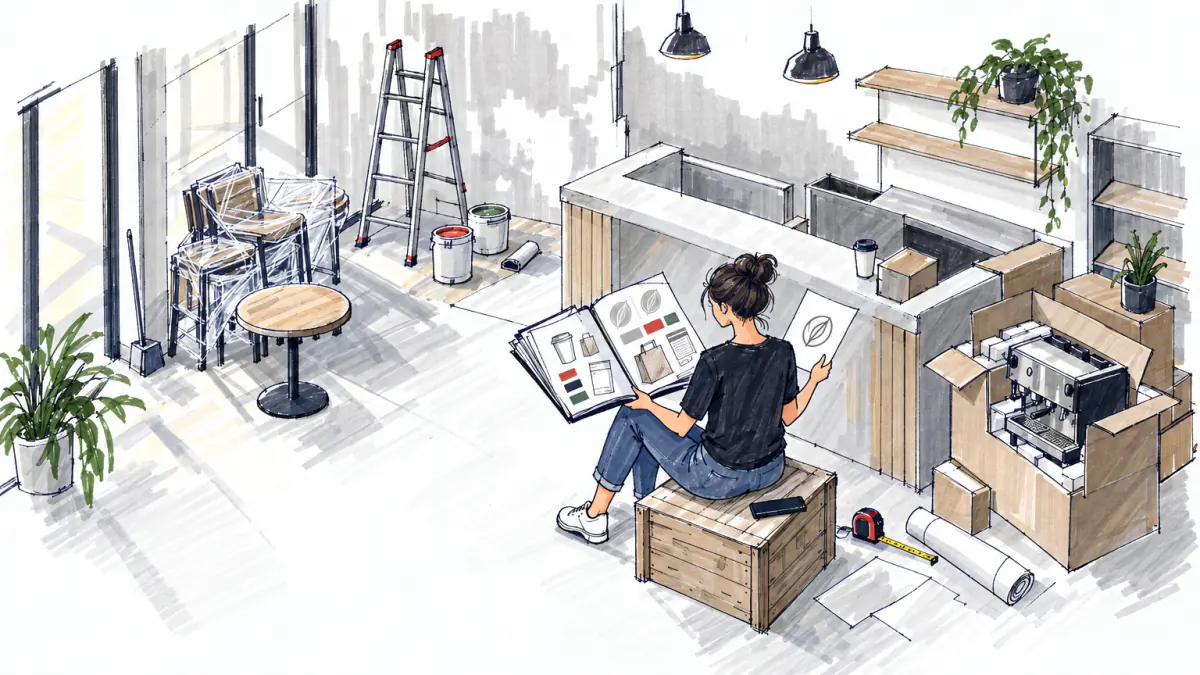
A template is fine as a temporary mark, though others can buy the same one.
The US Copyright Office protects generative AI output only where a human author determined sufficient expressive elements9. Redraw and change a generated image yourself, and keep your sketches.
Example: the brief for a Chicago restaurant-branding studio
This is a real system check from October 14, 2026, used to fill the step 1 brief for the studio’s own logo. The figures illustrate our method; we draw no logo and invent no name.
The idea: «Flat-fee logo and brand kit design studio for new restaurants, cafés and food trucks in Chicago: owners who want a logo, menu and signage files before opening»ex. For this example, our method’s check ran 17 search queriesex over 20 sourcesex and returned «Possible, with caveats»ex, scoring 61ex.
The check counted 7 direct competitorsex. The five most visible, by share of search visibility (example by our method):
| Competitor | Kind | Share |
|---|---|---|
| DesignScout | Direct | 30%ex |
| Spacejad | Direct | 12%ex |
| VistaPrint | Indirect | 12%ex |
| Orbit Media Studios | Indirect | 8%ex |
| Design My Menu | Direct | 8%ex |
The first risk: «Design My Menu already covers about 65% of the offer, so new restaurants may choose it over a Chicago studio»ex.
Complaints in the example by our method: price 3ex, quality 1ex, other 1ex. The matching risk: «Price complaints are the most common, so a flat fee can read as expensive against freelance marketplaces»ex. The studio’s flat fee is $500ex (example by our method).
The brief’s decisions:
- Type: a combination mark. The name must read on a menu and a truck side; the symbol alone is the favicon and the social avatar.
- Promise: a fixed-price, print-ready kit before opening. The price risk goes into the brief, so the fee is shown as a package with its contents listed.
- Placements for step 6: sign, menu, truck side, takeout bag, social avatar, invoice.
- Line-up: the five rivals above, with the mark furthest from DesignScout and Design My Menu.
Both caveats now sit in the brief. Prices and margins belong to the unit economics, the idea as a whole to the business concept.
Mistakes to avoid
| Mistake | Why it fails | Do instead |
|---|---|---|
| Starting in color | Color hides weak shapes | Finish in black first |
| Thin lines, gradients | They vanish when small | Heavy strokes, flat fills |
| Only a PNG or JPG | Raster blurs when enlarged | Keep an SVG master |
| A rival’s look | Customers confuse you | Run the line-up test |
Who owns your logo
Copyright protects a logo as original artwork and trademark protects it as a brand identifier; the two cover different things10. In the US, trademark rights arise from use in commerce, and federal registration with the USPTO is optional but adds nationwide legal presumptions11. Since January 18, 2025, the base application fee is $350 per class of goods or services12.
FAQ
How much does it cost to design a logo?
Your own time with a free editor costs nothing, a maker’s free tier limits the export, and a designer quotes per project. In our worked example, the studio charges a flat $500ex for a logo plus menu and signage (example by our method).
Can I design a logo myself for free?
Yes: paper, a free vector editor and the seven steps. Check a maker’s free export; the Adobe Express download is a 500 × 500 pixel square8, and print needs a vector file.
What file formats do I need for a logo?
Keep SVG as the master and give printers PDF or EPS; for the web, a transparent PNG5. Add a one-color version and a square icon.
How many colors should a logo have?
Our rule is one to three, and the mark must also work in one color.
Do I need to trademark my logo?
Can I own an AI-generated logo?
Only the part a person authored. The Copyright Office protects AI output only where a human determined sufficient expressive elements9.
Next comes the rest of the brand: Start your brand project
Sources
- en.wikipedia.org, 01/15/2023
- ionos.com, 03/14/2023
- designrush.com, 10/13/2026
- db.com, 10/21/2026
- pngifier.com, 06/16/2026
- developers.google.com, 10/21/2026
- solopress.com, 08/11/2026
- adobe.com, 03/18/2026
- copyright.gov, 01/29/2025
- legalclarity.org, 06/01/2026
- uspto.gov, 08/25/2026
- uspto.gov, 08/14/2026
Check your idea for free
Describe your idea and the check collects demand, competitors, complaints and prices, with sources.